
Workflow Engine and Business System Integration
The workflow engine integrates with various business systems to enable process-driven business automation.
Integration consists of two phases: workflow engine preparation (deployment, organization structure, unified authentication) and business system API integration (modeling, submission, processing, monitoring).
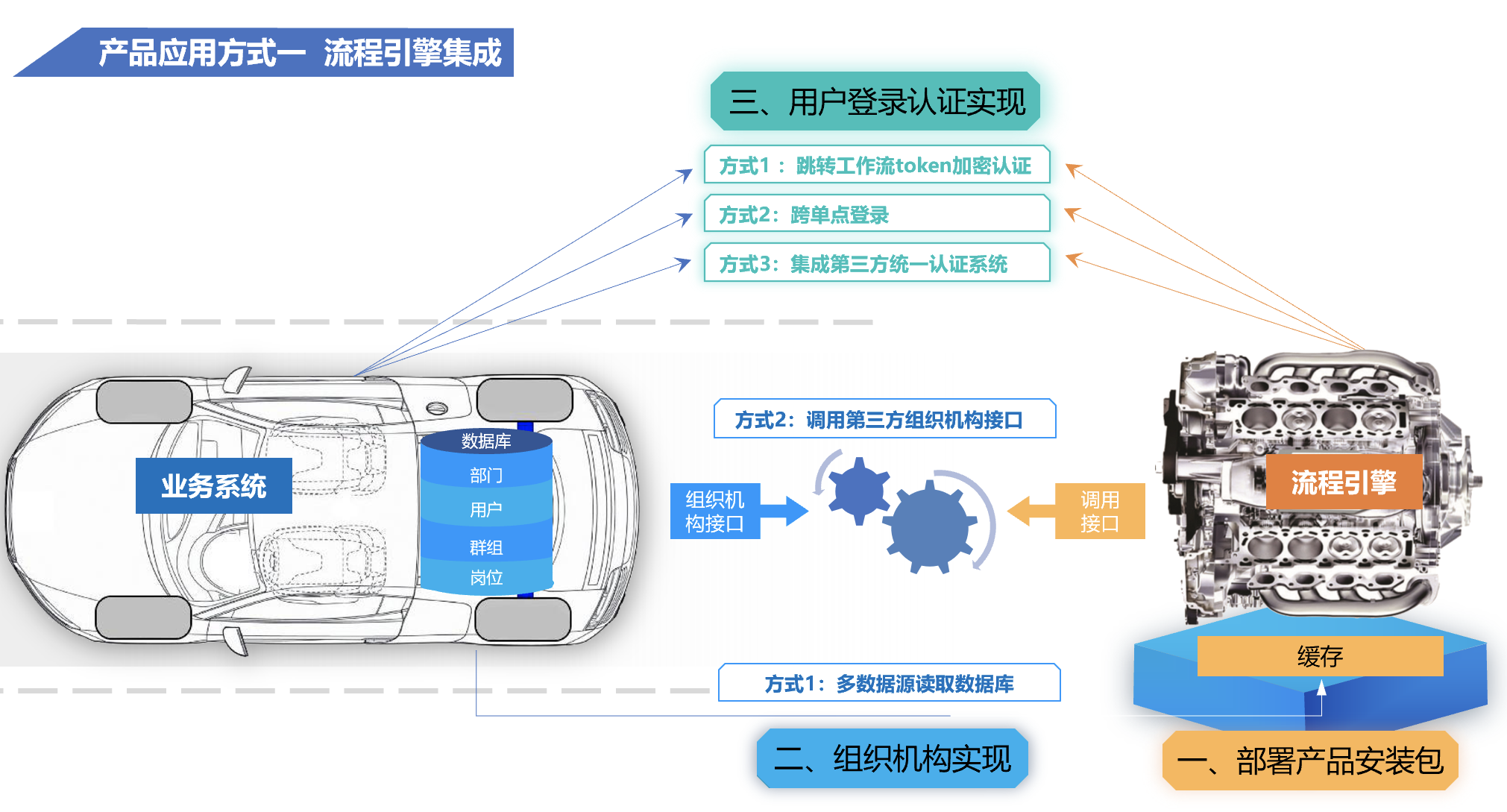
1. Workflow Engine Preparation
Complete the following before the business system calls workflow APIs.
| Step | Description | Reference |
|---|---|---|
| 1. Deploy the product | Deploy a development environment for organization and unified identity integration | Development Environment Deployment |
| 2. Organization structure | Read and sync organization data from the business system | Organization Integration |
| 3. User authentication | Maintain unified login with the business system | Authentication Integration |
Testing vs. Production
- Online use: During public network testing, organization sync is optional — use built-in workflow accounts for testing. In production, sync organization data from the business system.
- Local deployment: During testing, use the workflow engine's built-in organization data. For production integration, sync organization data from the business system.
2. Business System API Integration
After engine preparation, integrate workflow capabilities in the business system as follows.
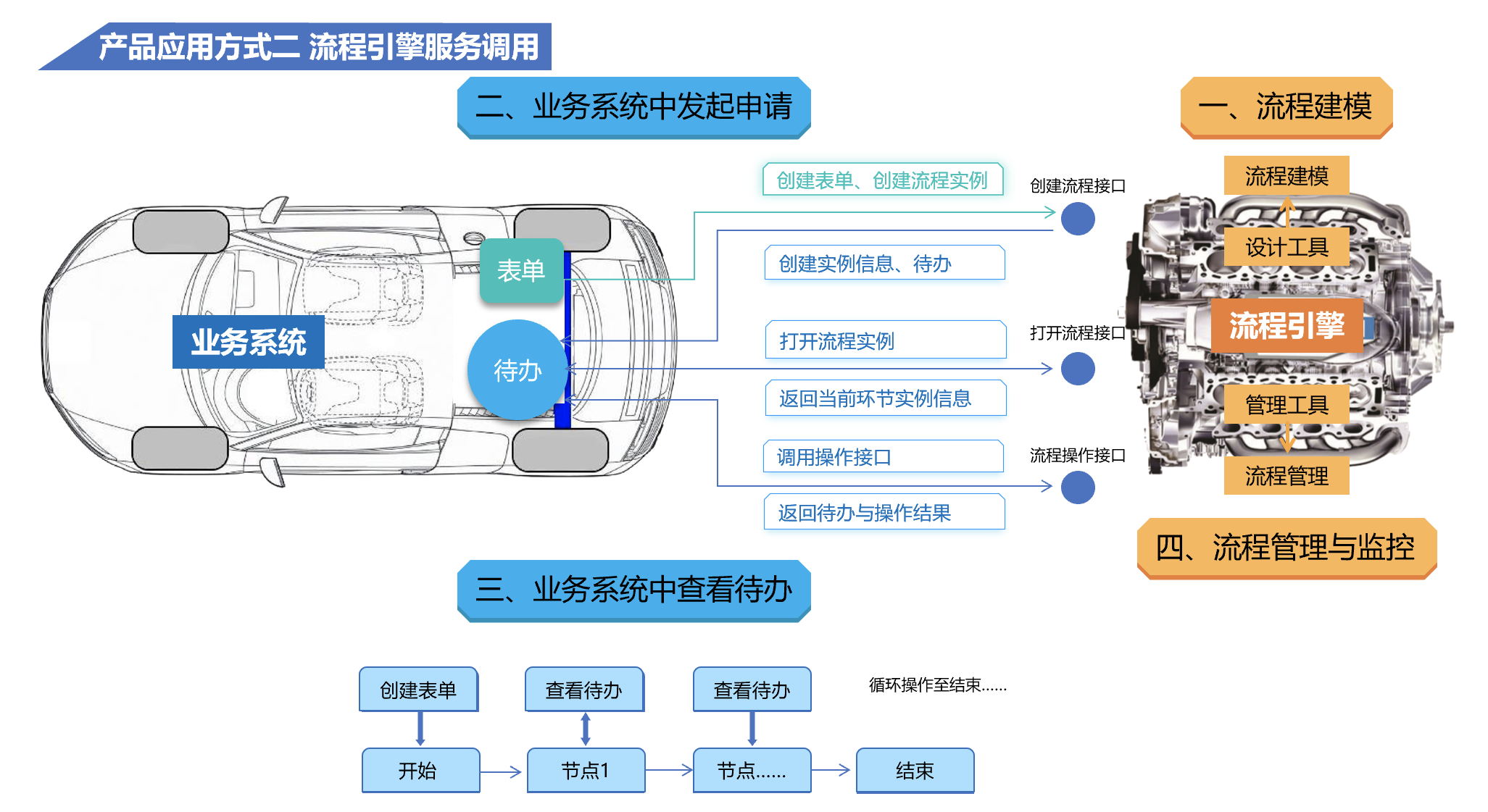
1. Process Modeling
Design and publish business processes in the workflow engine. For a first-time walkthrough, see Create Your First Process.
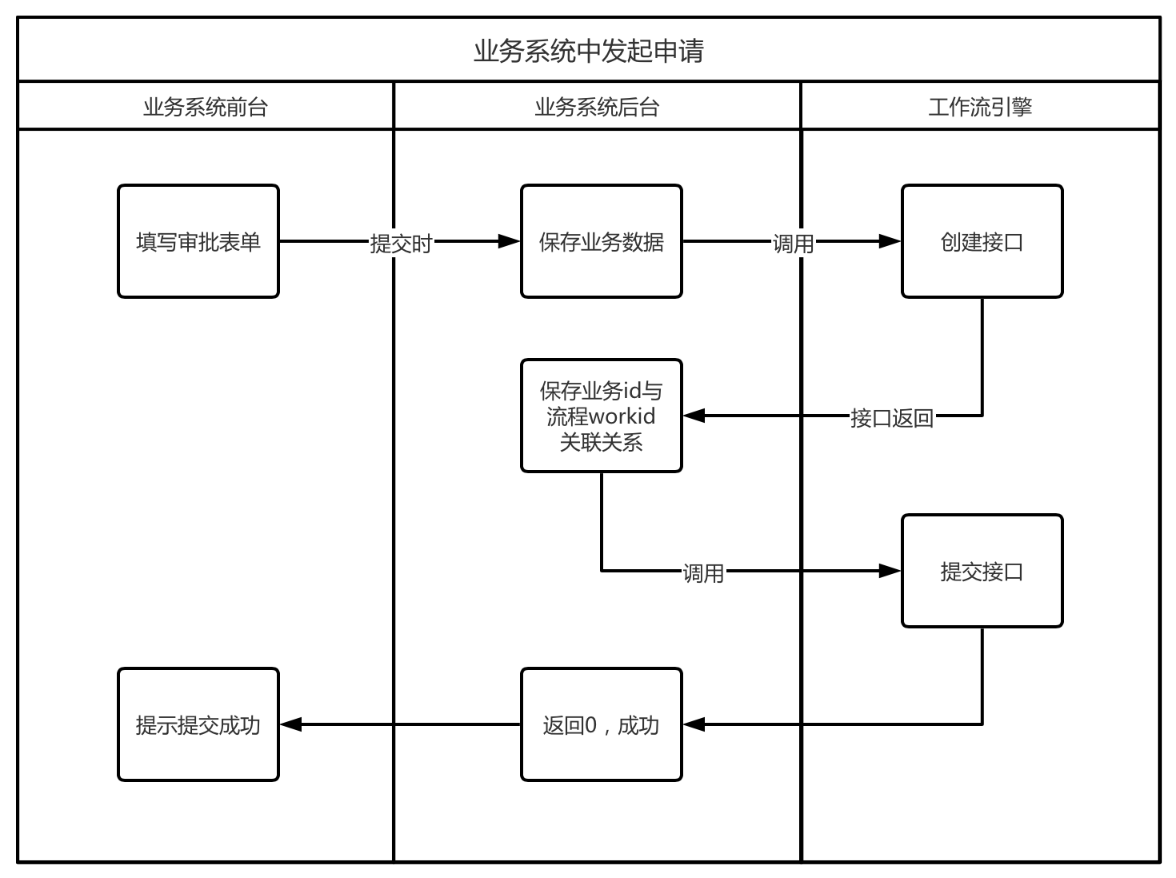
2. Submit Applications from the Business System
User scenario: The user opens a form in the business system, fills in information, and clicks Submit.
API steps: In the business system's submit handler, call the workflow Create Process API and Submit Process API in sequence.
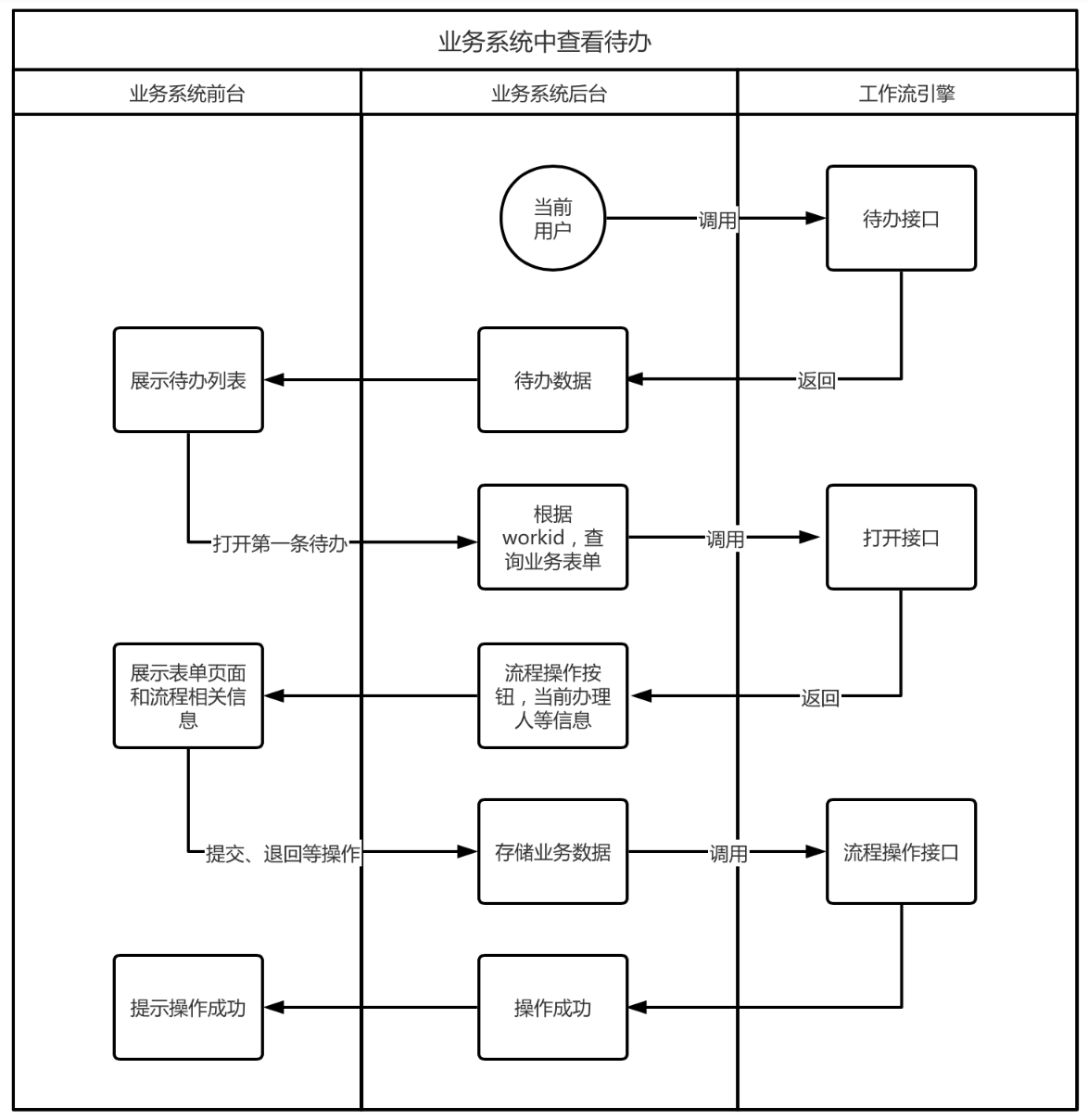
3. View and Process Pending Tasks in the Business System
User scenario: After logging in, the user views the pending task list and opens one to process.
API steps: Call the Pending Tasks API to display the list. When the user opens a task, call the Open Process API to view process details.
4. Process Management and Monitoring
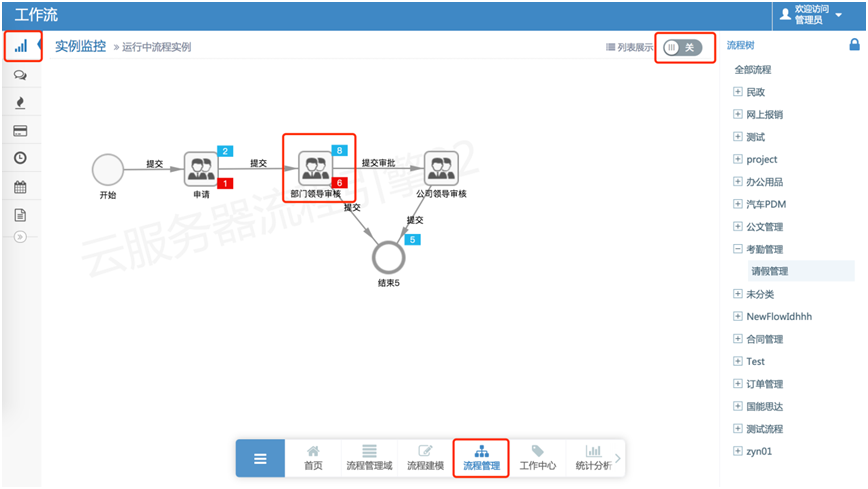
Under Process Management > Instance Monitoring, view overall process flow, analyze pending and overdue counts per step, and optimize the process. Click a process step to view its instance list.
Download API Examples
REST API collections can be downloaded and imported into testing tools.
- Postman: Workflow Engine 8.2.3.postman.json
- Apifox: Workflow Engine 8.2.3.apifox.json