
How to Configure Third-party Data Sources
Third-party data sources are used to read data from business system databases, commonly in scenarios such as organization structure integration.
Use cases
- Reading organization data from the business database via SQL
- Accessing business tables from workflow logic
- Connecting the workflow engine to multiple external databases
Configuration steps
Sign in to the workflow management console and open the data source configuration page to add a third-party data source.
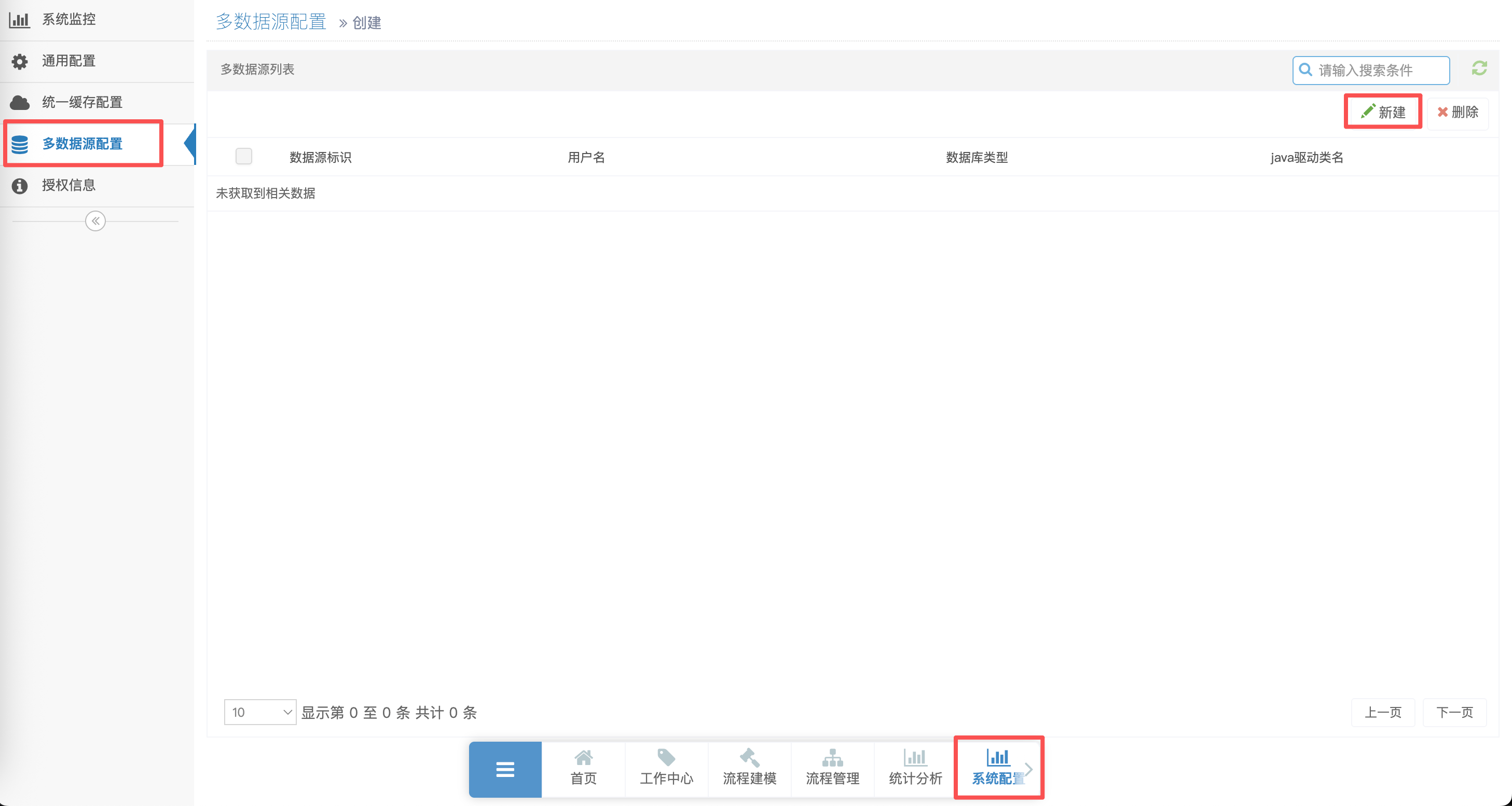
Configuration fields
| Field | Description |
|---|---|
| Name | Display name for the data source |
| Identifier | Unique ID; cannot be changed after save; referenced in code |
| Database type | e.g. MySQL, Oracle, DM |
| Database URL | JDBC URL including host, port, and database name |
| Username / Password | Business database credentials |
| Pool settings | Max/min connections, initial size, max idle time, etc. |
Steps
- Fill in connection details
- Click Test connection to verify connectivity
- Click Save after a successful test
Note
- The identifier cannot be changed after save; use a meaningful name (e.g.
business_db) - Ensure network connectivity between the workflow server and the business database, and that the account has read access to required tables
Using in code
After configuration, set the third-party data source identifier in implementation code (e.g. organization builder):
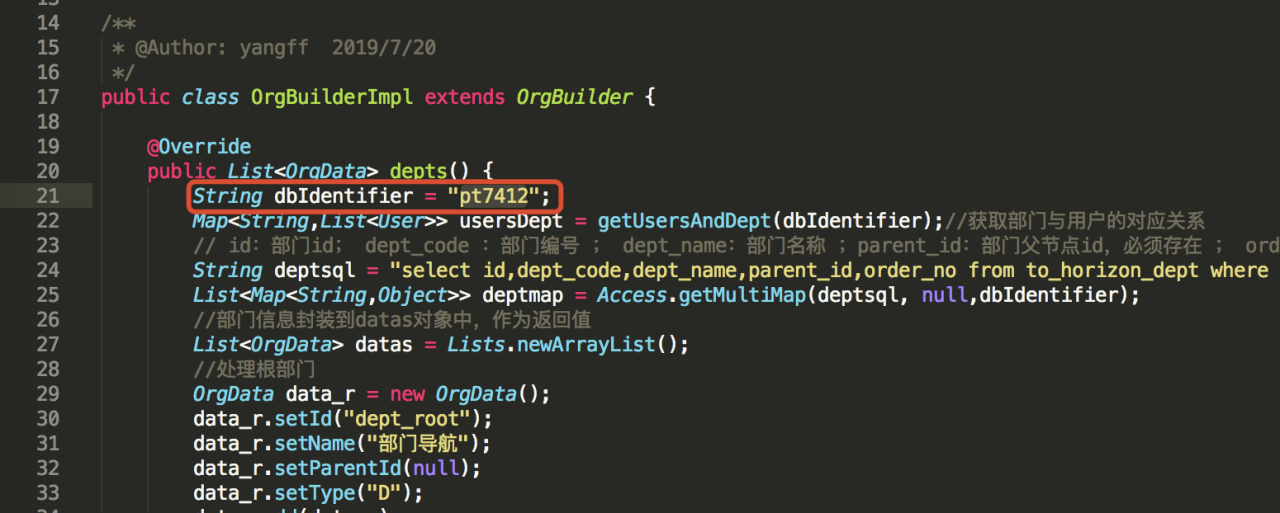
Example: specify the identifier in OrgBuilderImpl.java so organization SQL queries use the business database.
Related documentation
- Organization Structure — Sync organization data via third-party data source
- Database Driver — Replace the workflow engine database driver